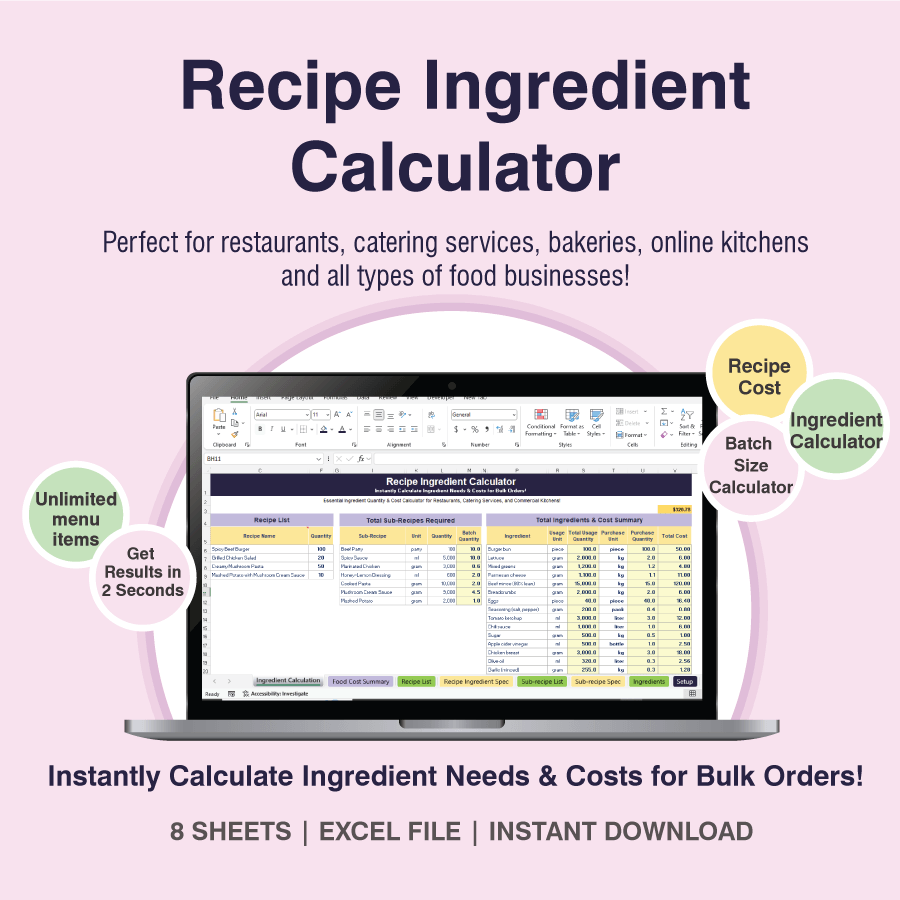
All-in-one tool for kitchen - Smart Excel Template
LIMITED TIME OFFER
365 Excel is Required


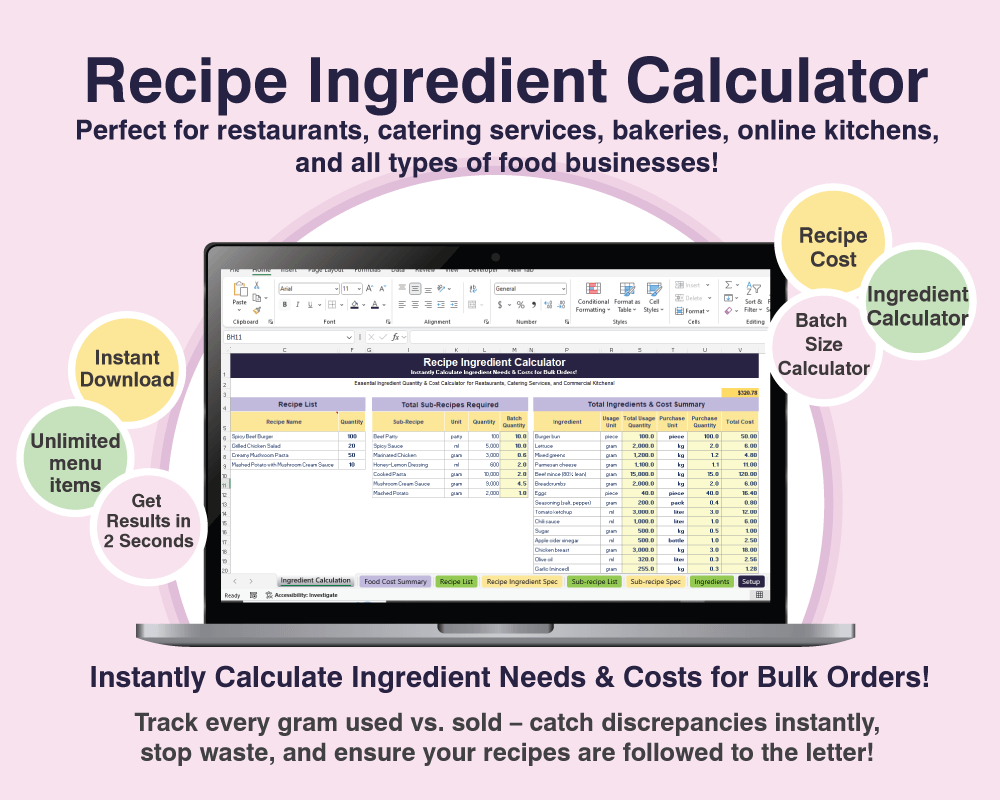
✅ User-Friendly Food Cost Calculator
✅ One-Click Bulk Order Shopping List & Costing
✅ 3-Second Recipe Scaling
✅ Instantly see batch sizes, shopping lists for 100+ dishes in one order.
✅ Batch Size Adjustment from Single Ingredient
"Scaling recipes for large servings has never been easier.
Instantly adjust ingredient quantities up or down with just one click. Manage everything effortlessly in Excel — no subscription fees, no ongoing costs, and your recipes stay completely private and secure."
Recipe Ingredient Calculator
Essential Ingredient Quantity & Cost Calculator for Restaurants, Catering Services, and Commercial Kitchens!
🔥 User-Friendly Food Cost Calculator
→ No Excel skills needed!
🔥 One-Click Bulk Order Shopping List & Costing
→ Know the exact amount of ingredients & costs for 100+ meals instantly
🔥 3-Second Recipe Scaling
→ Scale from 10 to 500 servings in one edit
🔥 Smart Batch Adjustment
→ Change one ingredient → auto-update the entire recipe
Built for People Like You – Chefs, Caterers, Restaurant Owner
🍳 When orders suddenly triple:
Type "200 burgers" → Get exact amounts: 30kg beef, 200 buns, 5kg lettuce. Close those 10 Excel tabs!
🍳 When your flan recipe calls for 8 eggs, but you only have 5 in the fridge:
Just type “5 eggs” → The template instantly recalculates the perfect ratio of milk, sugar, and more. Not a single gram wasted.
🍳 When you need to budget for a massive order:
Input quantities → See precise costs down to the last penny.
🍳 When ingredient prices spike:
Update prices once → All recipe costs and profit margins auto-adjust.
For more detail?
Take a quick look inside → Video demo
Why This Template Is Your New Kitchen BFF:
✅ No apps, no subscriptions: Pay once, own it forever. Works offline in Excel – no internet required.
✅ One-time purchase, unlimited use: For all your branches, all your concepts. It’s 100% yours.
✅ No more re-entering recipes: Save your time, save your sanity.
✅ Keep your secret recipes safe: Your formulas stay with you, not on someone else’s server.
✅ Control costs like a pro: Know your exact cost per dish or event and negotiate confidently with clients.
✅ Cross-check ingredient usage against sales – perfect for cafes and restaurants to prevent waste.
One-time price: $97
Buy it once → Use it forever → Save hours and hundreds.
What’s Inside – You’re Getting:
🔹 1 Automated Ingredient Calculator Spreadsheet – comes with a ready-made example + blank template to build your own.
🔹 1 Dish Costing Spreadsheet – track profit margins with both a working sample and a clean version to customize.
🔹 1 Step-by-Step Video Tutorial – watch how to use it in under 15 minutes, even if you hate Excel.
You will also get...

Free updates for new version

One Year Support
WHAT OTHERS SAYS ABOUT THIS
Words from Our Satisfied Customers

More than 1,420+ people that have use this template for their kitchen
“I used to dread big orders because calculating ingredients took forever and was full of mistakes. Now, I just type in the quantities and everything updates instantly – even the costs.
It’s like having a smart assistant who never tired"

Daniel Nguyen
Owner & Head Chef, Firebird Street Kitchen
"At 6 PM on a Saturday, a client canceled 50 meals. I opened the template, adjusted the numbers → Immediately knew to cut 8kg of beef and 3kg of veggies. We refunded the supplier just in time – saved $600 in 2 minutes."

Sarah Miller
Executive Chef, Denver, CO
Wondering if $97 is a smart spend?
👉 7-day refund guarantee:
If it doesn’t make your kitchen life easier, just email me – I’ll refund you in full, no questions, no hassle.
Download Now → Breathe Easy → Never Manual Calculate Again.
Frequently Asked Questions
Absolutely. The file is user-friendly and doesn’t require any Excel skills. Everything is automated — you just enter your data, and the results appear instantly.
The download package includes: an Excel file with built-in VBA code, a step-by-step video tutorial, a user guide in Word format.
To use the file properly, you'll need to have Excel 365 installed, as some features may not work on older versions.
No, the file uses advanced VBA functions that are not supported in Google Sheets. Uploading it to Google Sheets will break its functionality.
To ensure everything works properly, please use it with Excel 365 on your desktop.
You can reach us via email at admin@fnbbusiness.com. Please include a clear description of your request or issue, and we'll get back to you as soon as possible.
Absolutely. We focus on delivering real value. If you feel the file isn't useful or doesn’t meet your expectations, you’re welcome to request a refund.
We kindly ask that you delete the file and refrain from using it in any form after the refund.

🎉 Get 20% OFF – Just for you!
⚠️ Limited-time offer – it’s gone if you close this window!
TYPE THIS CODE IN THE NEXT STEP TO APPLY DISCOUNT:
NEWFRIEND25